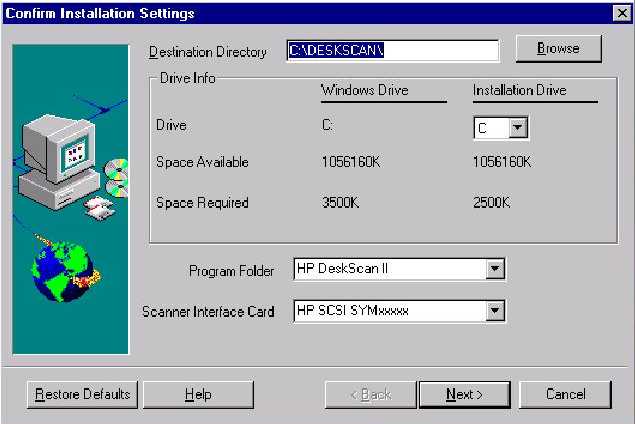
Installation Settings Screen
Note: This is the Default Screen.
During the Confirm Installation Setting Mode you can:
1. Assign a Destination Directory (normally select the default).
2. Select the drive on which the Installation is to be made.
3. Assign a Program Folder (normally HP Deskscan II).
4. Select the SCSI Adapter you are using.